Security Tokens
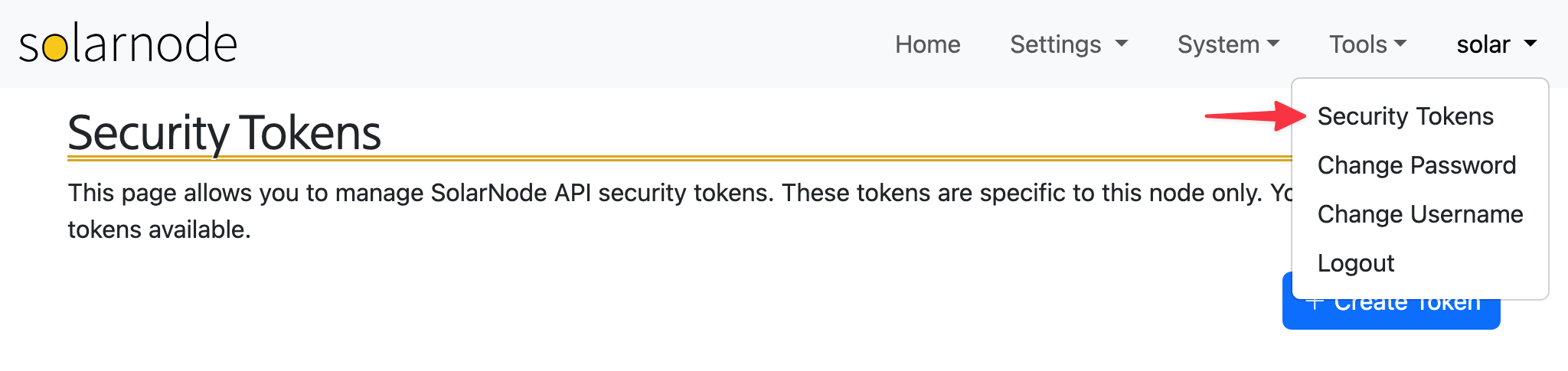
SolarNode local security tokens are used in some places like the SolarNode REST API. They can be managed by opening the profile menu on the top-right of the SolarNode UI (once you are logged in) and selecting the Security Tokens item.
Warning
The security tokens created within SolarNode are specific to that node only and can not be used with the SolarNetwork API. Similarly, SolarNetwork API tokens can not be used as SolarNode local tokens.
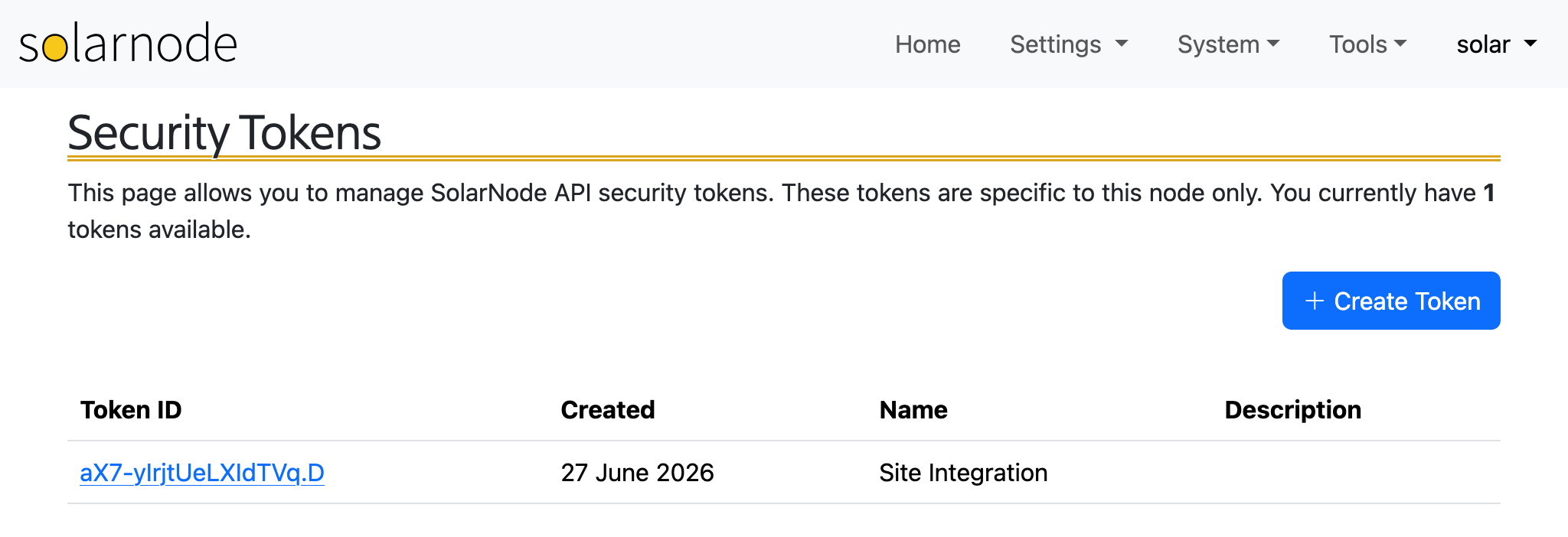
The page will list any tokens you have created, and you can delete any token by clicking on its ID.
Create token
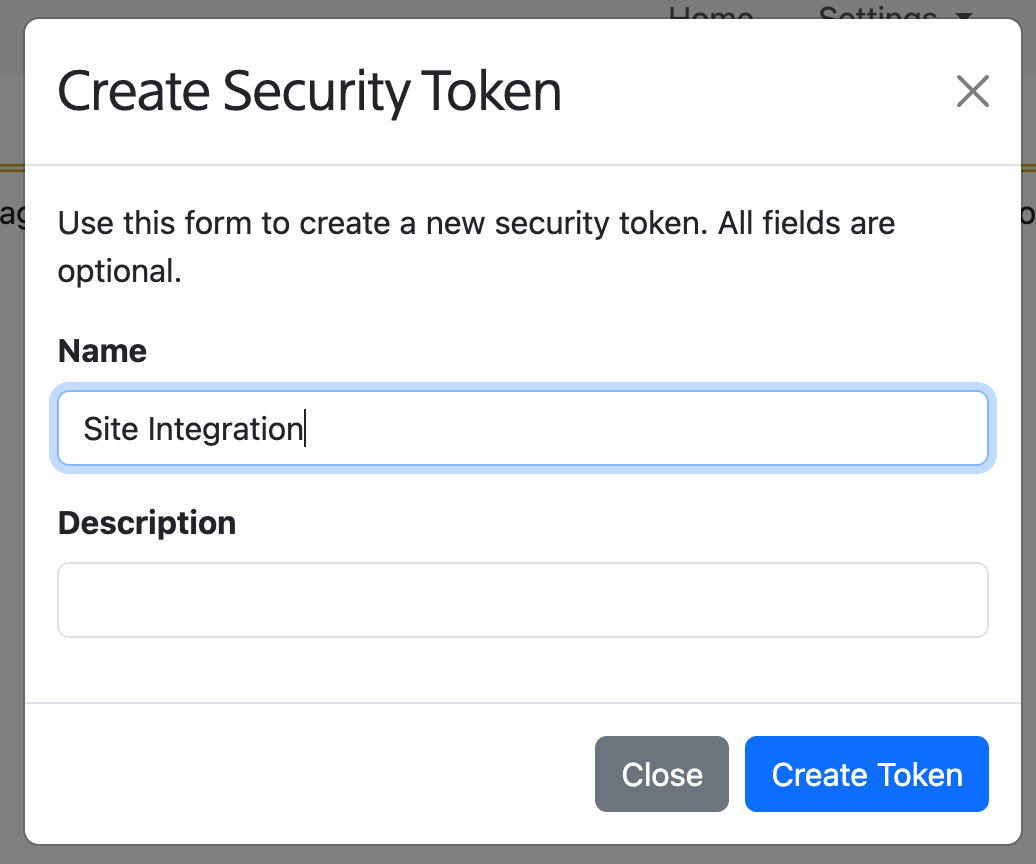
Click the Create Token button to create a new token. You can provide a name and description if you like.
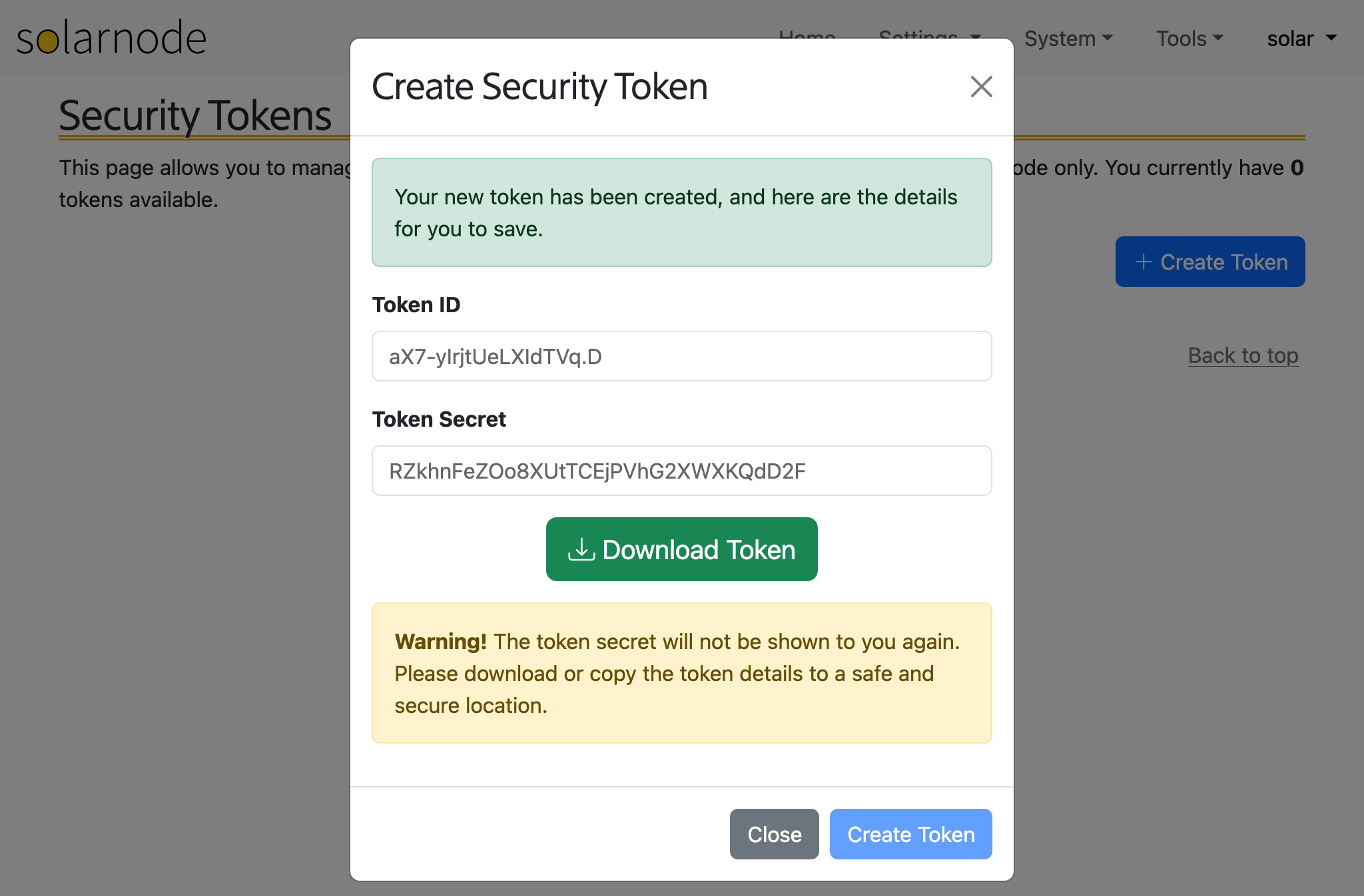
Once created, you will be shown the token ID and secret values, along with the option to download the credentials as a CSV file. You will not be shown the token secret again, so be sure to keep it in a safe place.