CAN Bus Datum Source
SolarNode can collect arbitrary data from CAN bus networks. This is an advanced plugin that requires specific low-level knowledge of the CAN network you want to collect data from.
This component is included in the solarnode-app-canbus package in SolarNodeOS. You can install this package on the System > Packages page in SolarNode.
Use
Once installed, a new CAN Bus Device component will appear on the Settings page on your SolarNode. Click on the Manage button to configure components. You'll need to add one configuration for each datum stream (source ID) you want to collect data on.

To understand how to configure this plugin, it is helpful to consider how CAN bus messages are structured. Each message contains a unique address and some number of bytes as content. CAN does not specify the format of any message, so some mapping information must be provided to decode a message from a given address. A message then might contain several pieces of information bundled together. The goal of this plugin is to capture CAN bus messages, decode the messages into individual property values, and map those values into datum properties.
The configuration for a given CAN Bus Device in SolarNode is broken into these parts:
| Configuration | Description |
|---|---|
| Device | A SolarNetwork datum stream with a source ID. A device contains 1 or more message configurations |
| Message | A CAN bus message for a specific CAN bus address. A message contains 1 or more property configurations |
| Property | An individual datum property taken from a message. |
You can visualize this structure like a tree. For example, here's a single Device with 2 messages and 5 properties:
TR-BUS-TEST1-MOT-1      # Device - a source ID
├── 0x0C03A1A7          # Message - a CAN bus address
│   ├── speed           # Property - part 1 of message
│   └── torque          # Property - part 2 of message
└── 0x1818D0F3
    ├── current
    ├── soc
    └── voltage
With that configuration, SolarNode might capture a datum that looks like this:
{
  "sourceId" : "TR-BUS-TEST1-MOT-1",
  "speed" : 1115,
  "torque" : 29426,
  "current": 8.1,
  "soc": 0.868,
  "voltage": 669.2
}
Datum generation
This plugin does not request values from the configured CAN bus. Instead, it listens for CAN messages from the CAN addresses configured, and captures the property values whenever a message arrives. When it needs to generate a datum object, it copies the appropriate properties that have been most-recently captured to a new datum instance and returns that. Thus the values on a given datum could have been generated at any point before the datum is generated. For most cases the messages on a CAN bus are emitted quite frequently, and the end result is that the property values captured in a given datum are reasonably close to whatever those property values might have been at the time the datum is generated.
It is also possible for datum to be generated that do not contain values for all the properties configured to be captured by that datum, if no message has arrived for a particular property. Again, this is not much of an issue because CAN messages are typically generated very frequently.
KCD Configurer
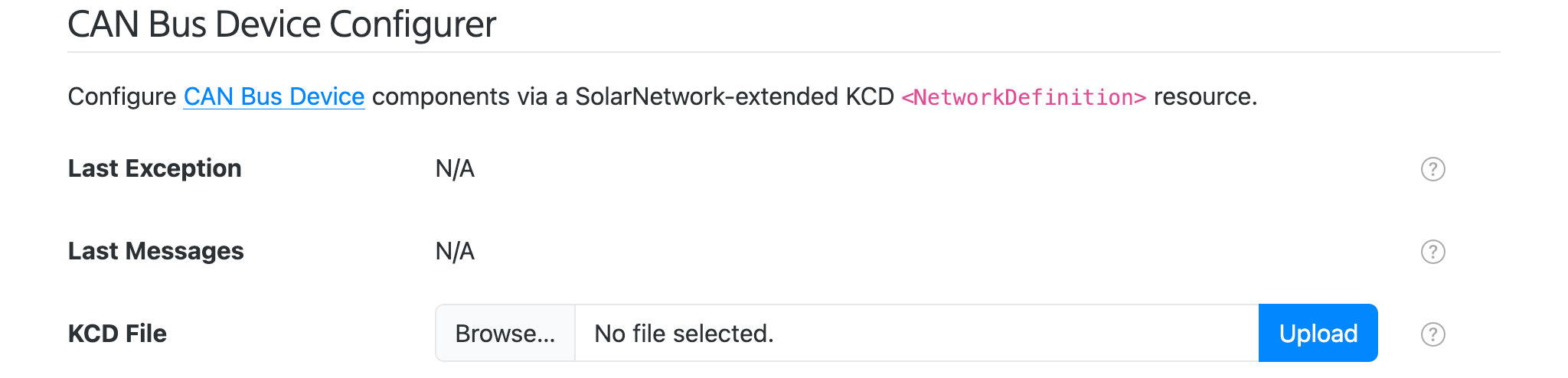
This plugin also provides a CAN Bus Device Configurer component will appear on the main settings page. This component lets you upload a KCD XML configuration file to configure all CAN Bus Device components, without having to use the settings form.
Settings
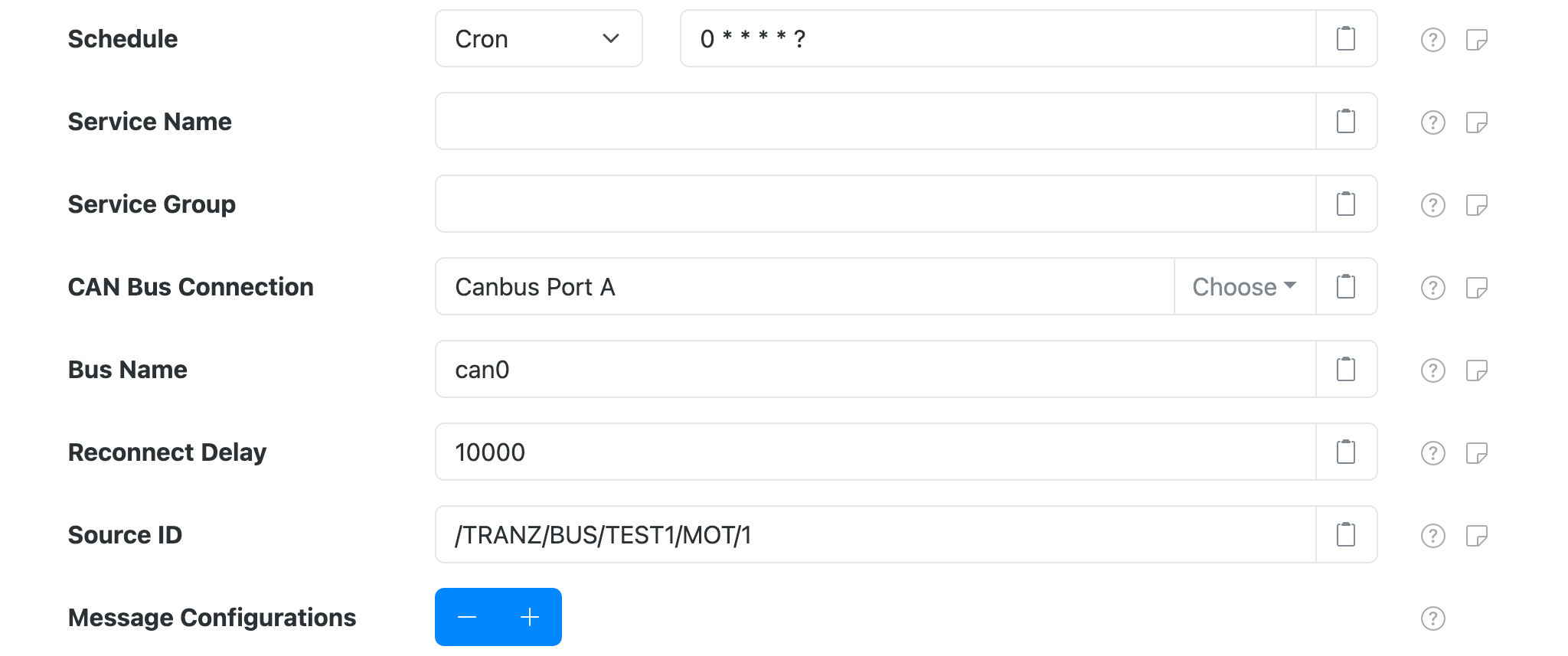
Each device configuration contains the following overall settings:
| Setting | Description |
|---|---|
| Schedule | A cron schedule that determines when data is collected. |
| Service Name | A unique name to identify this data source with. |
| Service Group | A group name to associate this data source with. |
| CAN Bus Connection | The Service Name of the CAN Bus Connection to use. |
| Bus Name | The CAN bus device name to connect to, for example can0. |
| Source ID | The source ID to assign to generated datum. |
| Datum Filter Service | The Service Name of the datum filter to apply to the data collected from the device, for example a Virtual Meter Filter. |
| Debug Mode | When enabled, capture all CAN messages into the configured Debug File, and do not collect any datum. |
| Debug File | File path to write CAN messages to when Debug Mode is enabled. Accepts a single %s argument which will be replaced by the configured Bus Name. |
| Message Configurations | A list of CAN bus message configurations that determine which datum properties are collected, from which CAN bus addresses. |
| Expression Configurations | A list of expression configurations for deriving properties from other properties. |
Message settings
Each device configuration contains any number of message settings.
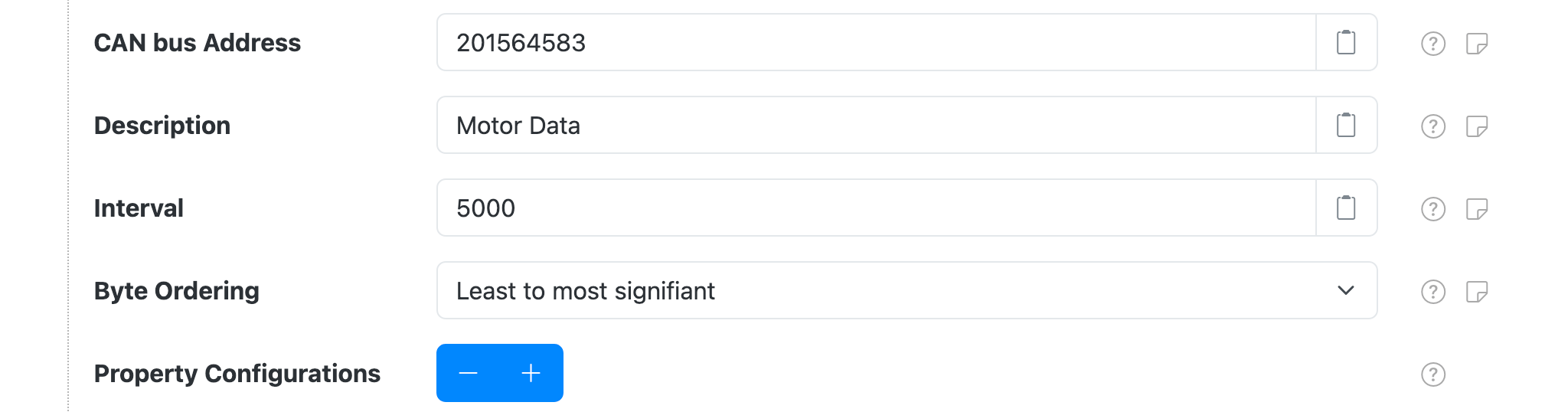
Each message configuration contains the following overall settings:
| Setting | Description |
|---|---|
| CAN bus Address | The CAN bus address to read. Can be specified in base 16 (hex) with a 0x prefix, e.g. 0x1A is equivalent to 26. |
| Description | An optional friendly description to give to this property. |
| Interval | An minimum interval, in milliseconds, to limit message updates to. Use 0 for no limit so updates occur at whatever frequency they are broadcast at. |
| Byte Ordering | The byte ordering used by the message data. |
| Property Configurations | A list of property configurations that determine which CAN bus message data values are extracted into datum properties. |
Property settings
Each message configuration contains any number of property settings.
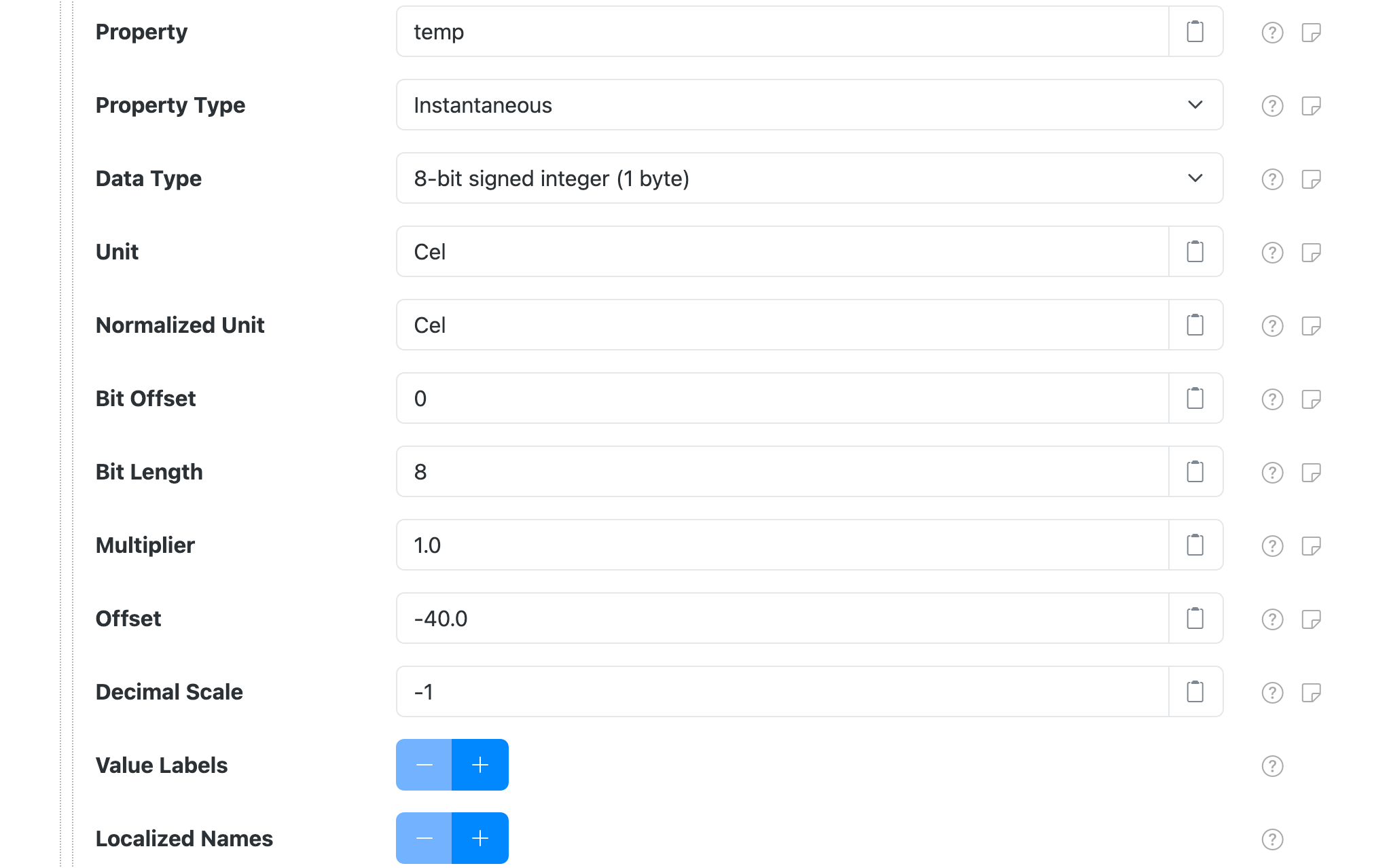
Each property configuration contains the following overall settings:
| Setting | Description |
|---|---|
| Property | The datum property name to populate. |
| Property Type | The datum property classification to use. |
| Data Type | The data type to read from the message. |
| Unit | The physical unit of the value, as a valid Unified Code for Units of Measure unit representation. |
| Normalized Unit | The unit to convert the value to, as a valid Unified Code for Units of Measure unit representation. If empty then apply standard normalization rules. |
| Bit Offset | The bit offset within the CAN bus message to read the property value from. |
| Bit Length | The number of bits to read. Only used for variable-length Data Type values. |
| Multiplier | A multiplication factor to transform data values into normalized units. In CAN this is often referred to as the slope, represented by m in the linear equation y = mx + b. Set to 1 for no multiplier. |
| Offset | An offset to transform data values into normalized units. This is applied after the Multiplier, represented by b in the linear equation y = mx + b. Set to 0 for no offset. |
| Decimal Scale | A maximum scale (number of digits after the decimal point) to round decimal values to. This is applied after all transforms. Set to 0 to round to whole numbers. Set to -1 to disable rounding. |
| Value Labels | An optional list of labels to associate with specific property values. |
| Localized Names | An optional list of localized names to publish with the metadata for the device. |
Value labels
Each property configuration contains any number of value lables. Value labels
allow you to configure descriptive labels with specific property values. When configured, SolarNode
will generate an extra status datum property named like Property with Label appended. For
example, here are two value labels configured for values 0 and 1 with labels Normal and
Broken, respectively:

Assuming the associated Property setting is configured as state, then when the captured
property value matches 1 a stateLabel property would also be populated with a value Broken:
{
  "state"      : 1,
  "stateLabel" : "Broken"
}
Localized names
Each property configuration contains any number of localized names. Localized names allow you to configure localized labels that get published as metadata.

Datum metadata
This plugin will publish metadata based on the configuration provided. This is to help with client applications that want to understand the units used by each property. An example of the metadata is:
Each property will have the following metadata elements published:
| Metadata | Description |
|---|---|
| name | The localized names, if provided, as an object with language tags for object keys. |
| unit | The normalized UCUM unit of the datum property. |
| sourceUnit | The original UCUM unit of the property configuration, if different from the normalized unit. |
{
  "created": "2019-12-15 20:50:06.480Z",
  "updated": "2019-12-16 01:01:54.518Z",
  "nodeId": 123,
  "sourceId": "/TR/BUS/TEST1/BAT/1",
  "pm": {
    "soc": {
      "name": {
        "en": "Battery State of Charge"
      },
      "unit": "",
      "sourceUnit": "%"
    },
    "current": {
      "name": {
        "en": "Battery Current"
      },
      "unit": "A"
    },
    "voltage": {
      "name": {
        "en": "Battery Voltage"
      },
      "unit": "V"
    },
    "regenEnergy": {
      "name": {
        "en": "Battery Input Energy",
        "fr": "Énergie d'entrée de la batterie"
      },
      "unit": "W.h",
      "sourceUnit": "kW.h"
    },
    "outputEnergy": {
      "name": {
        "en": "Battery Output Energy",
        "fr": "Énergie de sortie de la batterie"
      },
      "unit": "W.h",
      "sourceUnit": "kW.h"
    },
    "minCellVoltage": {
      "unit": "V"
    },
    "posIsoResistance": {
      "unit": "Ω",
      "sourceUnit": "kOhm"
    }
  }
}
Expressions
Properties can be defined using expressions. Expressions allow you to configure datum properties that are dynamically calculated from other properties or raw Canbus signal values. Each device configuration contains any number of expression settings.
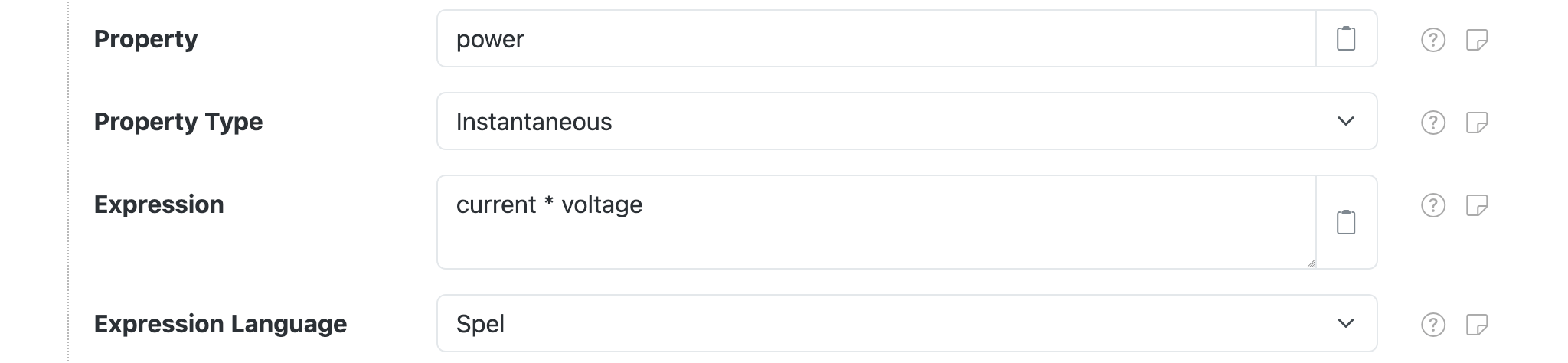
Each expression configuration contains the following settings:
| Setting | Description |
|---|---|
| Property | The datum property name to generate from the result of the expression. |
| Property Type | The datum property classification to use. |
| Expression | The expression. |
| Expression Language | The expression language the Expression is written in. |
Expression root object
The root object is a ExpressionRoot object, which has the following properties:
| Property | Type | Description |
|---|---|---|
datum |
GeneralNodeDatum |
A GeneralNodeDatum object, populated with data from all property and virtual meter configurations. |
props |
Map<String,Object> |
Simple Map based access to the data in datum, to simplify expressions. |
sample |
CanbusData |
A CanbusData object, populated with the raw CAN bus data read from the device. |
Expression examples
| Expression | Comment |
|---|---|
current * voltage |
Returns the product of datum property current and datum property voltage. |