DNP3 Server Connection
The DNP3 TCP server component provides a TCP based DNP3 client that can be used for DNP3 applications to use. This can be used by the DNP3 Outstation component.
This component is included in the solarnode-app-dnp3 package in SolarNodeOS. You can install this package on the System > Packages page in SolarNode.
Use
Once installed, a new DNP3 TCP server component will appear on the Settings > Components page on your SolarNode. Click on the Manage button to configure components.

SolarNodeOS port considerations
By default SolarNodeOS has a built-in firewall enabled that will not allow access to arbitrary IP
ports. Whatever Port value configured in the server settings must
be opened in the SolarNodeOS firewall. To open port 20000, you'd add the following
lines to the firewall configuration:
# Allows DNP3 server
add rule ip filter INPUT tcp dport 20000 counter accept
Settings
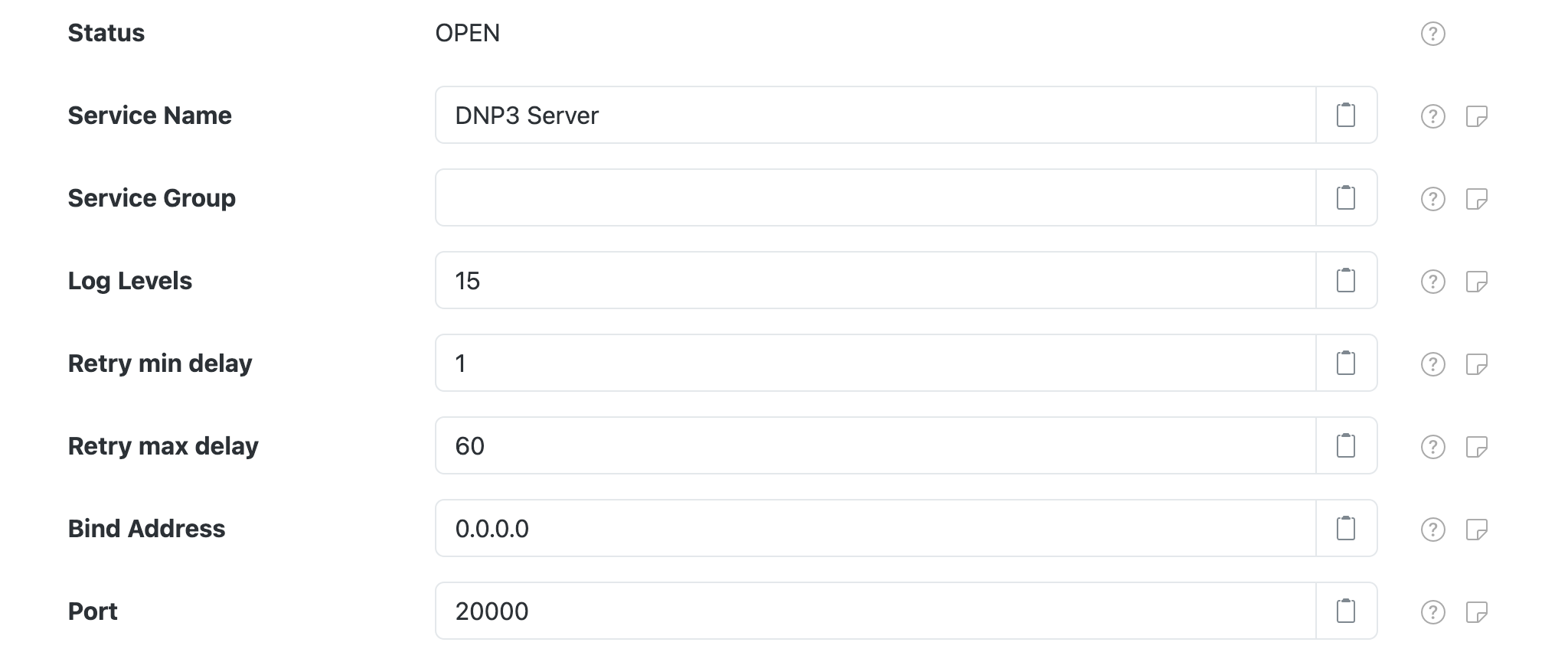
Each TCP server configuration contains the following settings:
| Setting | Description |
|---|---|
| Service Name | A unique name to identify this component with. |
| Service Group | A group name to associate this component with. |
| Log Levels | A bitmask combination of OpenDNP3 log levels. |
| Retry min delay | The minimum length of time, in seconds, to delay between network operation retry attempts. |
| Retry max delay | The maximum length of time, in seconds, to delay between network operation retry attempts. |
| Bind address | The IP address to bind to, such as 127.0.0.1 for localhost or 0.0.0.0 for all available addresses. |
| Port | The port to listen on. |