DNP3 Client Connection
The DNP3 TCP client component provides a TCP based DNP3 client that can be used for DNP3 applications to use. This can be used by the DNP3 Control Center component.
This component is included in the solarnode-app-dnp3 package in SolarNodeOS. You can install this package on the System > Packages page in SolarNode.
Use
Once installed, a new DNP3 TCP Client component will appear on the Settings > Components page on your SolarNode. Click on the Manage button to configure components.

Settings
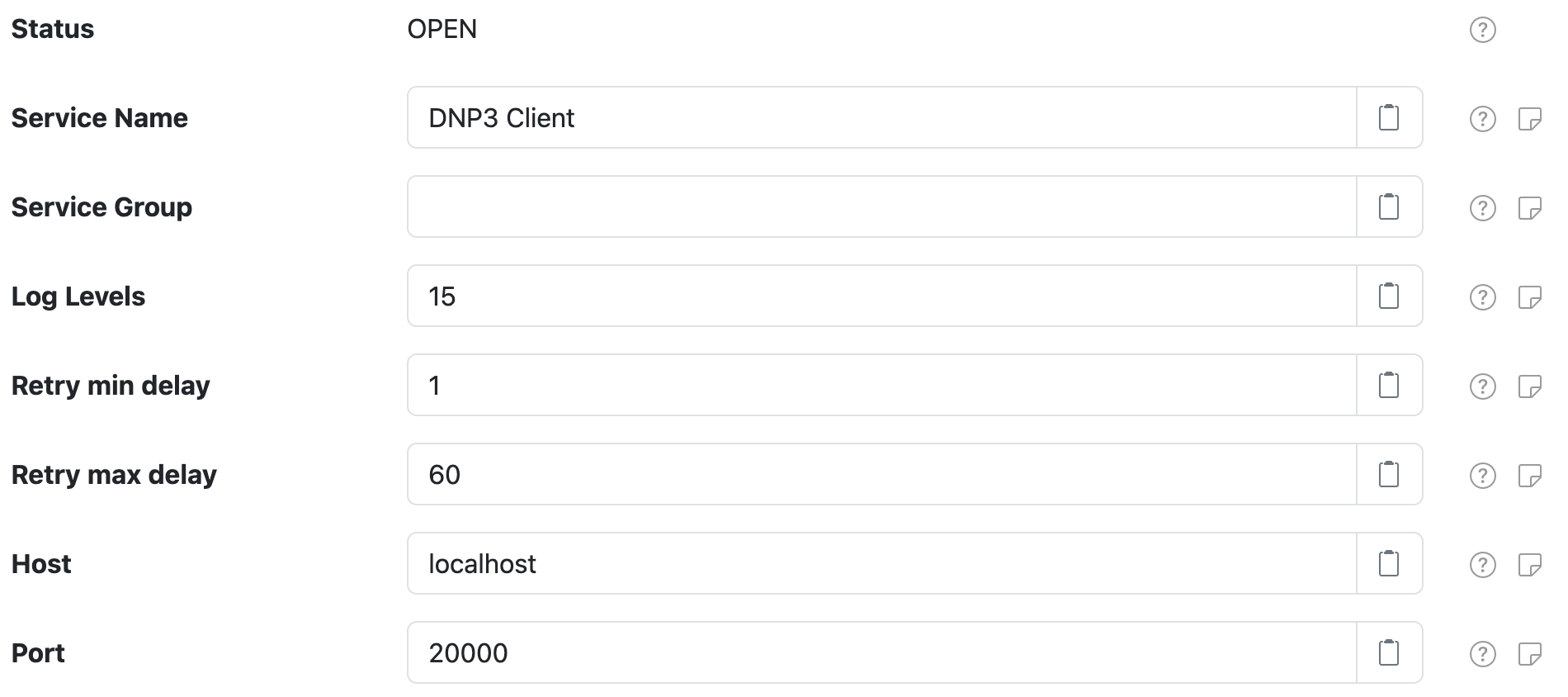
Each TCP client configuration contains the following settings:
| Setting | Description |
|---|---|
| Service Name | A unique name to identify this component with. |
| Service Group | A group name to associate this component with. |
| Log Levels | A bitmask combination of OpenDNP3 log levels. |
| Retry min delay | The minimum length of time, in seconds, to delay between network operation retry attempts. |
| Retry max delay | The maximum length of time, in seconds, to delay between network operation retry attempts. |
| Host | The hostname or IP address to connect to. |
| Port | The IP port to connect on. |