DNP3 Control Center
The DNP3 Control Center component provides a DNP3 "control center" (or master) that connects to a DNP3 outstation to collect measurement values. The Control Center then generates datum out of the collected DNP3 measurements.
At a high level, this component connects to a DNP3 outstation and then polls for DNP3 measurement values, caching them, based on a Refresh Frequency polling frequency. It then generates datum out of the cached values, based on a configured Schedule. Thus the collection and publication of the measurement values are decoupled.
A DNP3 outstation can also push measurement values to this control center, as they change. The updated measurement values are cached as if this control center polled for that measurement. You can configure the Event Datum setting to have this component generate datum after receiving a measurement update event, in which case the datum will include the latest available values for all cached values for all properties configured on that datum.
This component is included in the solarnode-app-dnp3 package in SolarNodeOS. You can install this package on the System > Packages page in SolarNode.
Use
Once installed, a new DNP3 Control Center component will appear on the Settings > Components page on your SolarNode. Click on the Manage button to configure components.

CSV Configurer
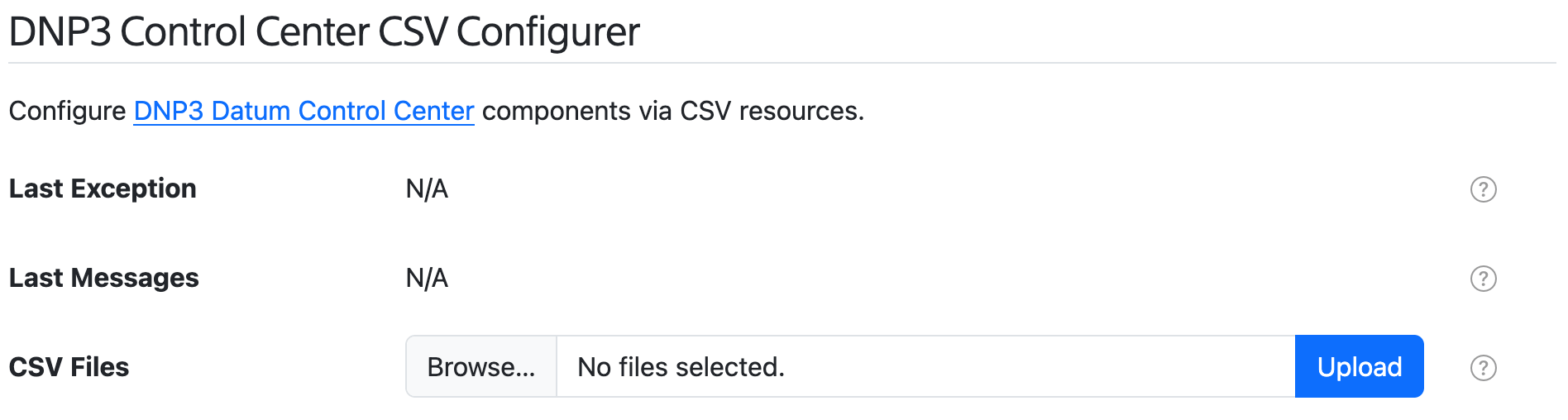
SolarNode supports configuring DNP3 Control Center components using a simple comma-separated-values (CSV) file, which spreadsheet applications can easily generate. A DNP3 Control Center CSV Configurer component will appear on the Settings > Services page. This form lets you upload a DNP3 Control Center CSV Configuration file to configure all DNP3 Control Center components at once, without having to use the settings form.
Spreadsheet jumpstart
You can copy the DNP3 Control Center Configuration Example sheet as a starting point. This sheet has drop-down menu validation to make it super easy to configure your DNP3 integration. Download your completed Sheet as CSV, then use the DNP3 Control Center CSV Configurer form to upload and configure SolarNode.
DNP3 Control Center CSV configuration format
The DNP3 Control Center CSV configuration uses the column structure detailed
below, with each row representing an individual datum property to read
from the DNP3 outstation. A header row is required. Comment lines are allowed, just start the line
with a # character (i.e. the first cell value). The entire comment line will be ignored.
Here's an example screen shot of a configuration in a spreadsheet application. It is for two Control Centers with 3 datum sources defined between them:
- Control Center
1with 2 datum sources:- Source
meter/1/powerwith 2 properties:wattsandvoltage - Source
meter/1/energywith 2 properties:wattHoursandswitch
- Source
- Control Center
2with 1 datum source:- Source
meter/2/power1with 1 datum property:watts
- Source
Spreadsheet applications generally allow you to export the sheet in the CSV format, which can then be loaded into SolarNode via the CSV Configurer.

Instance identifiers
Individual DNP3 Control Center components are defined by the first column (Instance ID). You can
assign any identifier you like (such as Meter, Inverter, and so on) or configure as a single
dash character - to have SolarNode assign a simple number identifier. Once an Instance ID has been
assigned on a given row, subsequent rows will use that value if the corresponding cell value is left
empty.
CSV column definition
The following table defines all the CSV columns used by DNP3 Control Center CSV Configuration. There are 3 groups within the columns:
- Control Center configuration: columns A - G
- Datum Source configuration: columns H - J
- Measurement configuration: columns K - P
The Control Center configuration columns A - G apply to the entire DNP3 Control Center configuration, and only the values from the row that defines a new Instance ID will be used to configure the control center. Thus you can omit the values from these columns when defining additional rows within the same configuration.
The Datum Source configuration columns H - J apply to a Datum Source configuration, and only the values from the row that define a new Source ID will be used to configure the datum source. Thus you can omit the values from these columns when defining additional rows within the same configuration.
The Measurement configuration columns K - P define datum properties to populate from DNP3 measurement values.
| Col | Name | Type | Default | Description |
|---|---|---|---|---|
A |
Instance ID | string | The unique identifier for a single DNP3 Control Center component. Can specify - to automatically assign a simple number value, which will start at 1. |
|
B |
Service Name | string | A required service name to assign to the component. | |
C |
Service Group | string | An optional service group to assign to the component. | |
D |
Connection | string | The Service Name of the DNP3 client connection component to use. | |
E |
Address | string | The DNP3 address to use. Must be unique within the local DNP3 network. | |
F |
Events | string | A comma-delimited list of DNP3 classes to register for unsolicited (push) events. The supported classes are 1, 2, and 3. For example 1, 2, 3 would register for all DNP3 events. Can be specified also as a range like 1-3. |
|
G |
Schedule | string | 0 * * * * * |
The schedule at which to generate datum out of the collected DNP3 measurement data. Can be either a cron value or a millisecond frequency. |
H |
Source ID | string | Defines the start of a Datum Configuration, using this source ID. A single DNP3 Control Center instance supports any number of Datum Configurations. | |
I |
Datum Events | boolean | false |
When true then generate datum after measurement update events are received, otherwise only on the configured Schedule. |
J |
Poll Frequency | integer | An optional frequency, in seconds, to poll the DNP3 outstation for the latest measurement values. Leave blank or set to 0 to disable polling (and rely only on Events). |
|
K |
Property | string | A datum property name to use for a DNP3 measurement. | |
L |
Property Type | enum | Instantaneous |
The type of datum property to use. Must be one of Instantaneous, Accumulating, Status, or Tag, and can be shortened to just i, a, s, or t. |
M |
Measurement Type | enum | The DNP3 point type to collect. Must be one of Analog Input, Analog Output Status, Binary Input, Binary Output Status, Counter, Double Bit Binary Input, Frozen Counter, or equivalent case-sensitive keys of a, A, b, B, c, d, f. |
|
N |
Index | integer | The DNP point type index to collect . | |
O |
Multiplier | decimal | 1 |
For numeric data types, a multiplier to apply to the BACnet value to normalize it into a standard unit. |
P |
Decimal Scale | integer | 5 |
For numeric data types, a maximum number of decimal places to round decimal numbers to, or -1 to not do any rounding. |
Example CSV
Here is the CSV as shown in the example configuration screen shot above:
Instance ID,Service Name,Service Group,Connection,Address,Event Classes,Schedule,Source ID,Datum Events,Poll Frequency,Property,Property Type,Measurement Type,Index,Multiplier,Decimal Scale
1,DNP3 Client 1,,DNP3 Client,1,1-3,,meter/1/power,FALSE,0,watts,Instantaneous,Analog Input,0,1,0
,,,,,,,,,,voltage,Instantaneous,Analog Input,1,1,5
,,,,,,,meter/1/energy,TRUE,,wattHours,Accumulating,Counter,0,1000,0
,,,,,,,,,,switch,Status,Binary Output Status,0,,
2,DNP3 Client 2,,DNP3 Client 2,2,1-3,,meter/2/power,TRUE,0,watts,Instantaneous,Analog Input,0,1,0
Settings
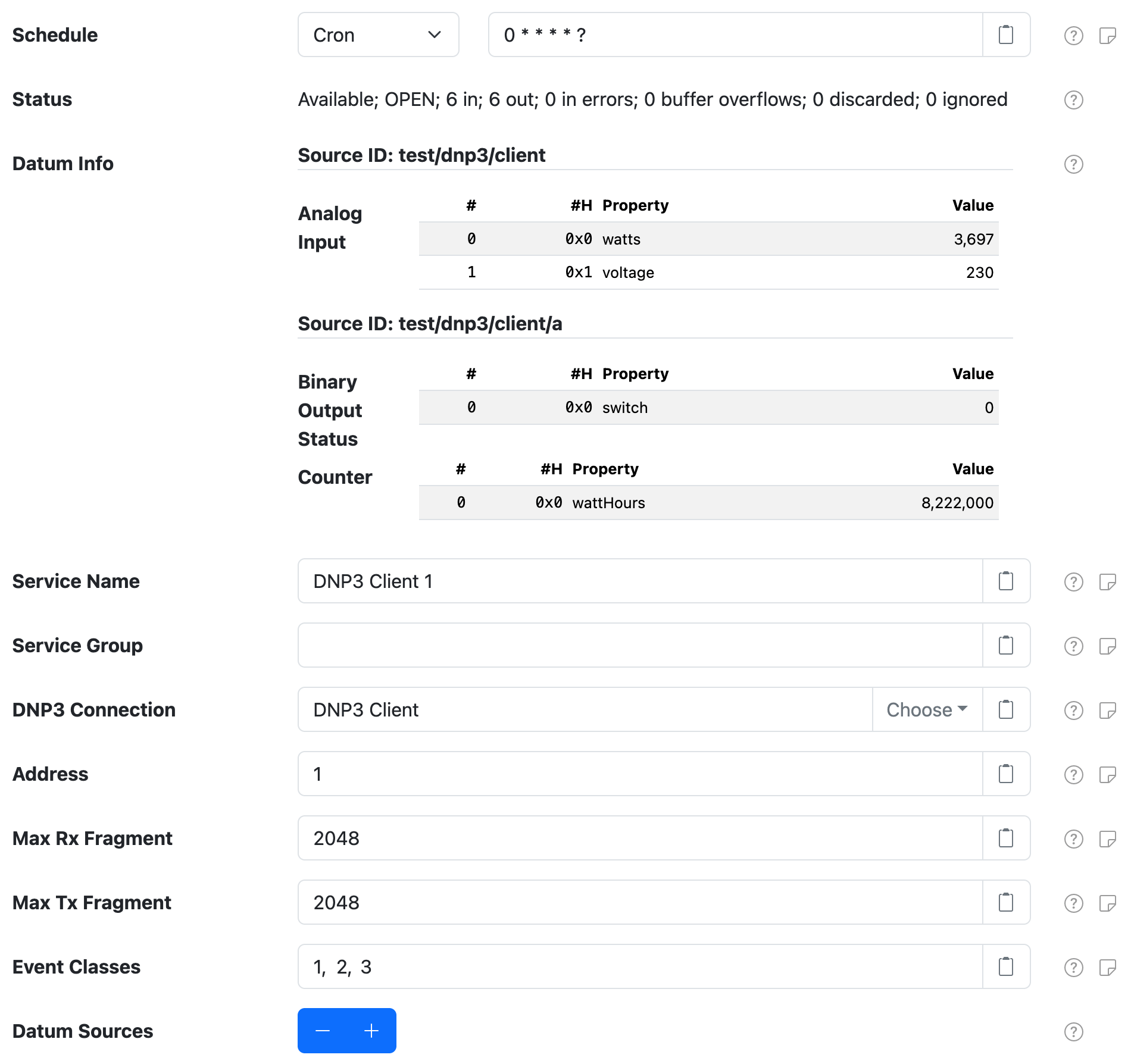
Each control center configuration contains the following overall settings:
| Setting | Description |
|---|---|
| Service Name | A unique name to identify this component with. |
| Service Group | A group name to associate this component with. |
| DNP3 Connection | The Service Name of DNP3 client connection to use. |
| Address | The DNP3 address to use. |
| Max Rx Fragment | The maximum fragment size the outstation will be able to receive. |
| Max Tx Fragment | The maximum fragment size the outstation will use for fragments it sends. |
| Event Classes | A comma-delimited list of DNP3 classes to register for unsolicited (push) events. The supported classes are 1, 2, and 3. For example 1, 2, 3 would register for all DNP3 events. Each DNP3 outstation defines for itself what measurements are included in each of the event classes, so you must consult the documentation and/or configuration of the device to find out what is included in each. |
| Datum Sources | A list of datum-specific settings that define the source IDs to generate datum for. |
Datum Source settings
A datum source configuration defines a datum source ID and a list of measurement configurations to collect from the DNP3 outstation and populate as datum properties. You can configure as many datum source settings as you like, using the Datum Sources + and - buttons to add/remove configurations.
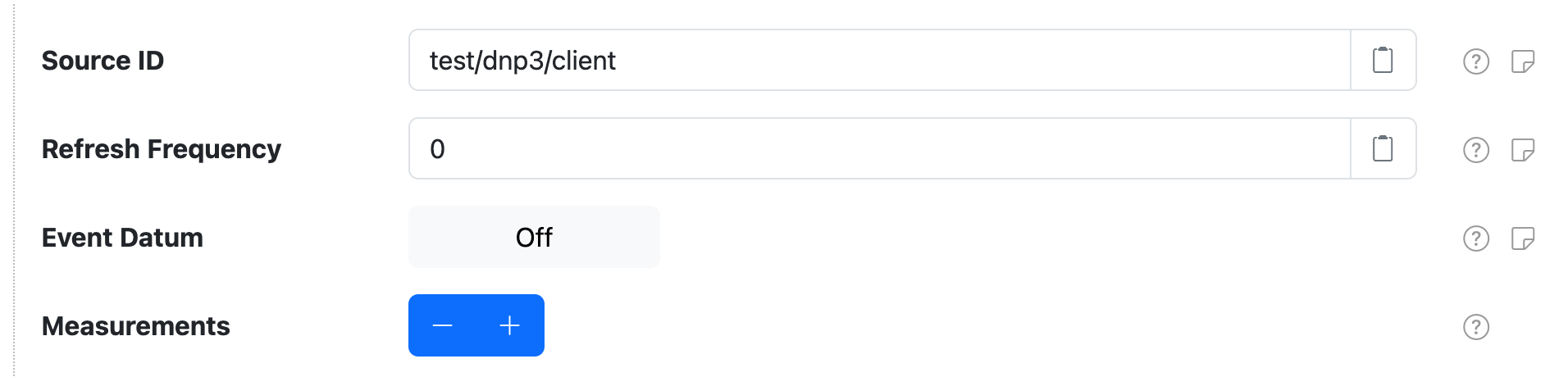
Each datum source configuration contains the following settings:
| Setting | Description |
|---|---|
| Source ID | The datum source ID to assign. Placeholder values are supported. |
| Refresh Frequency | An optional frequency, in seconds, to poll the DNP3 outstation to collect the latest available measurement values. Works with or without the overall Event Classes setting that allows the DNP3 outstation to publish measurement updates when the change.  Note this setting differs from the overall Schedule setting, which defines when datum are generated from the collected measurement values. Note this setting differs from the overall Schedule setting, which defines when datum are generated from the collected measurement values. |
| Event Datum | Toggle the generation of datum in response to measurement updates. |
| Measurements | A list of measurement-specific settings that define which DNP3 points map to datum properties. |
Measurement settings
A measurement configuration defines a mapping from a DNP3 point to a datum property.
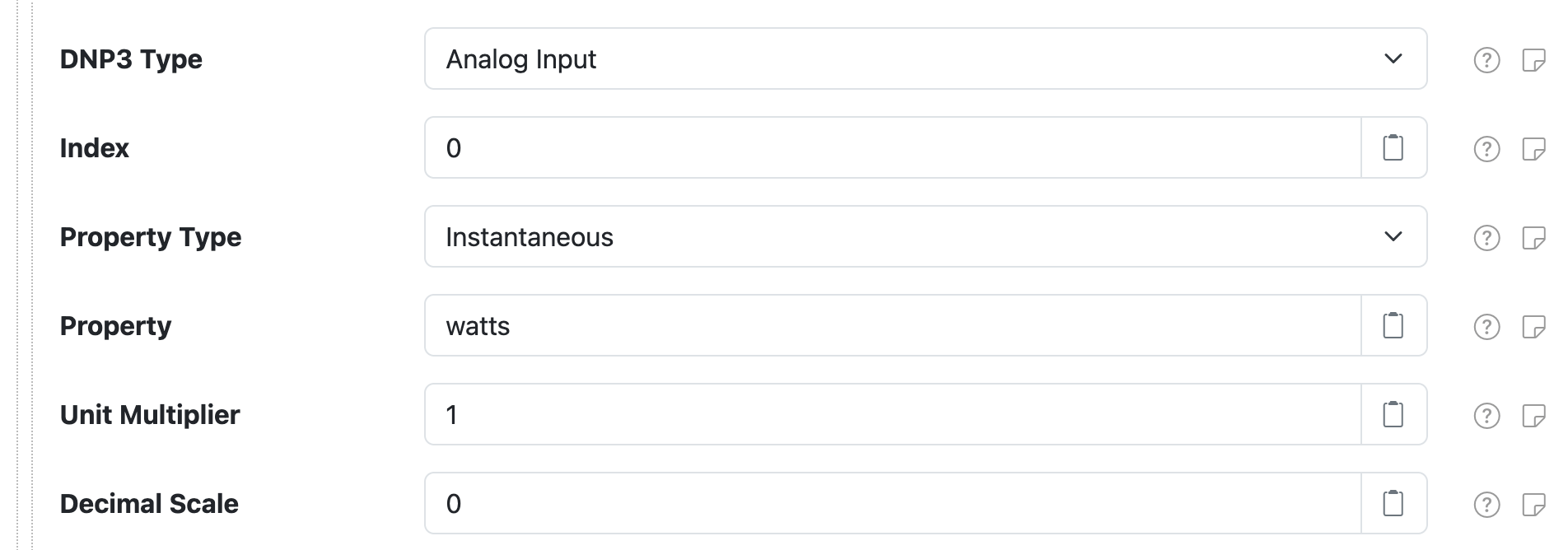
Each measurement configuration contains the following settings:
| Setting | Description |
|---|---|
| DNP3 Type | The DNP point type to collect. |
| Index | The DNP point type index to collect. |
| Property Type | The datum property type to publish measurement values as. |
| Property | The datum property name to publish measurement values as. |
| Unit Multiplier | A multiplication factor to apply to measurement values to normalize the value into a standard unit. |
| Decimal Scale | A maximum scale (number of digits after the decimal point) to round decimal values to. |