DNP3 Outstation
The DNP3 Outstation component provides a DNP3 "outstation" application for DNP3 Control Center applications to connect to. This allows data collected by SolarNode plugins to be published via the DNP3 protocol, and for DNP3 control actions to be performed on SolarNode controls.
This component is included in the solarnode-app-dnp3 package in SolarNodeOS. You can install this package on the System > Packages page in SolarNode.
Use
Once installed, a new DNP3 Outstation component will appear on the Settings > Components page on your SolarNode. Click on the Manage button to configure components.

Settings
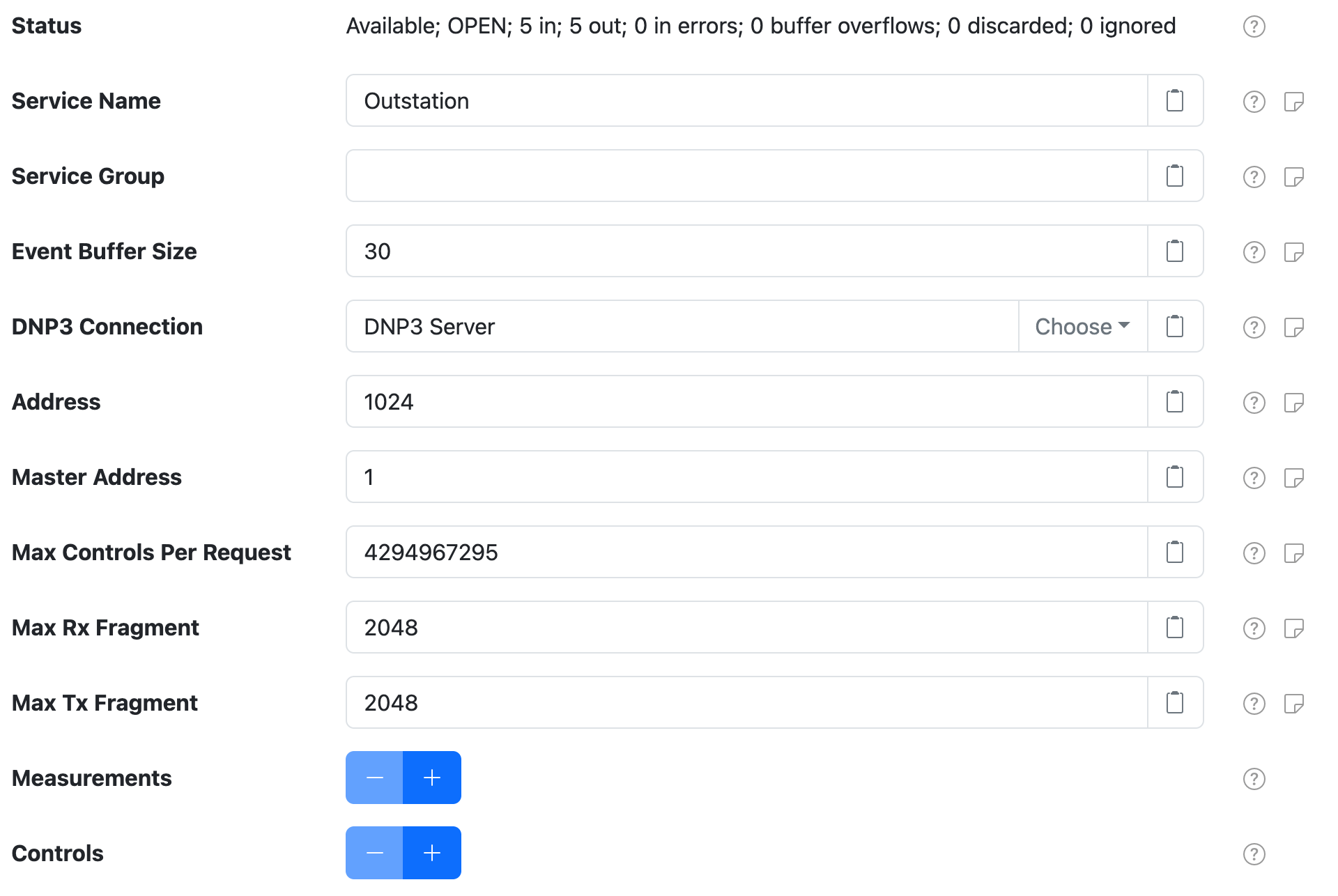
Each outstation configuration contains the following general settings:
| Setting | Description |
|---|---|
| Service Name | A unique name to identify this component with. |
| Service Group | A group name to associate this component with. |
| Event buffer size | The number of DNP3 data events to maintain internally. |
| DNP3 Server | The Service Name of DNP3 server component to use. |
| Address | The DNP3 address to use. |
| Master Address | The DNP3 address of the master DNP3 server to use. |
| Max Controls Per Request | The maximum number of controls the outstation will attempt to process from a single request. |
| Max Rx Fragment | The maximum fragment size the outstation will be able to receive. |
| Max Tx Fragment | The maximum fragment size the outstation will use for fragments it sends. |
Measurement settings
You must configure measurement settings for each datum property you want to publish via DNP3. You can configure as many measurement settings as you like, using the + and - buttons to add/remove measurement configurations.
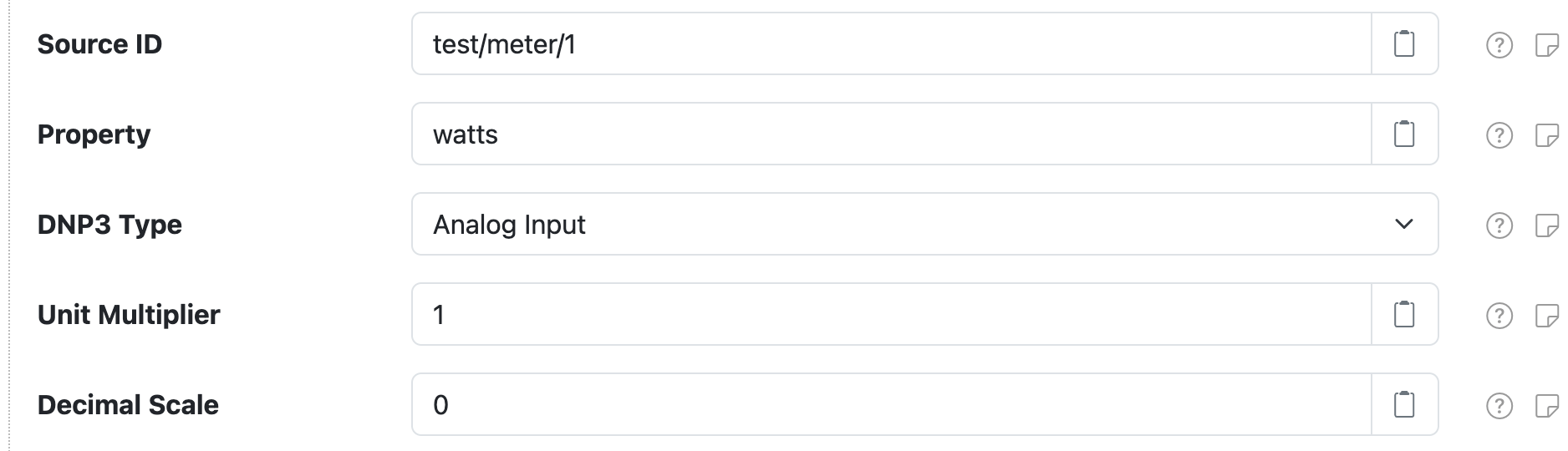
Each measurement configuration contains the following settings:
| Setting | Description |
|---|---|
| Data Source | The Service Name of the datum data source that provides data for this measurement. |
| Source ID | The datum source ID that contains the Property value to publish to DNP3. |
| Property | The datum property to publish to DNP3. |
| DNP3 Type | The type of DNP3 measurement to associate with the datum property. |
| Unit Multiplier | A multiplication factor to apply to property values to normalize the value into a standard unit. |
| Decimal Scale | A maximum scale (number of digits after the decimal point) to round decimal values to. Set to 0 to round to whole numbers, or -1 for no rounding. |
The Outstation will listen for net/solarnetwork/node/DatumDataSource/DATUM_CAPTURED events that
match any measurement configuration's Source ID value, and update the associated value in the DNP3 database.
Decimal Scale and analog types
Note that the Decimal Scale will affect the DNP3 encoding used for Analog Input and Analog
Output Status measurement types. When set to 0 then a 32-bit integer variation will be used. Otherwise
a 64-bit floating point variation will be used.
Control settings
You may configure control settings for each control you want to make manageable via DNP3. You can configure as many control settings as you like, using the + and - buttons to add/remove control configurations.
Each control configuration will add a corresponding Output Status type property to the DNP3 database (i.e. either an Analog Output Status or a Binary Output Status).

Each control configuration contains the following settings:
| Setting | Description |
|---|---|
| Control ID | The control ID to manage via DNP3. |
| DNP3 Type | The type of DNP3 control to associate with the datum property. |
The Outstation will listen for net/solarnetwork/node/NodeControlProvider/CONTROL_INFO_CAPTURED and
net/solarnetwork/node/NodeControlProvider/CONTROL_INFO_CHANGED events that match any control
configuration's Control ID value, and update the associated value in the DNP3 database.