BACnet Control
SolarNode can update arbitrary BACnet object property values, such as numbers or strings, via the SolarNode Control API. This is an advanced plugin that requires knowledge of BACnet and the BACnet configuration of the devices you want to control.
This component is included in the solarnode-app-bacnet package in SolarNodeOS. You can install this package on the System > Packages page in SolarNode.
Use
Once installed, a new BACnet Control component will appear on the Settings > Components page on your SolarNode. Click on the Manage button to configure controls.

Each component can be configured with any number of updatable controls, each with a unique control ID. Each control is configured to write to a specific BACnet object property on a BACnet device.
For example, you might define a therm/setpoint/1 control that writes a temperature value as a
floating point value to a BACnet object property.
A status indicator will appear at the top of the component settings, which will display the latest readings obtained from the configured BACnet device.
CSV Configurer
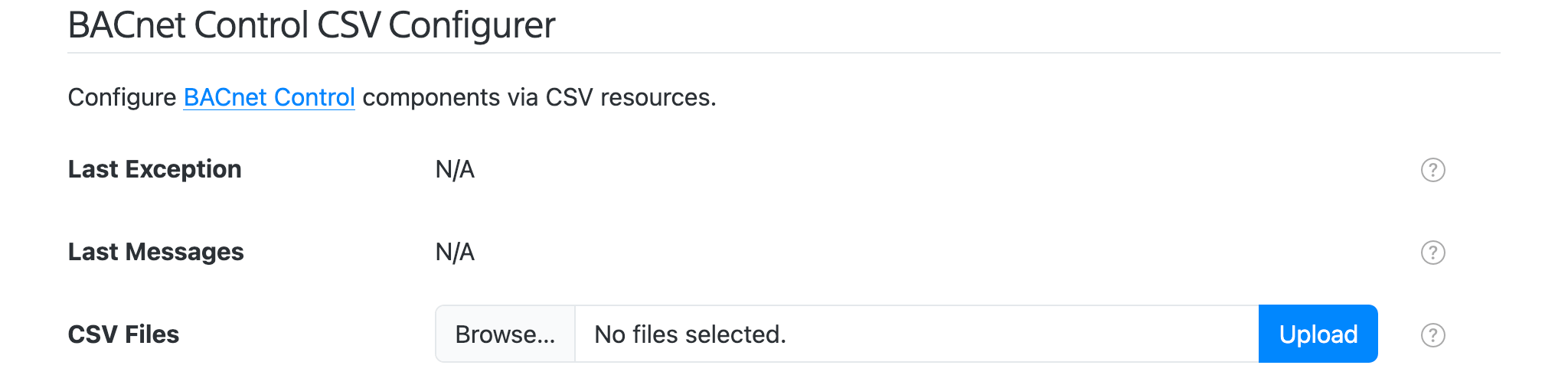
SolarNode supports configuring BACnet Control components using a simple comma-separated-values (CSV) file, which spreadsheet applications can easily generate. A BACnet Control CSV Configurer form will appear on the Settings > Services page. This form lets you upload a BACnet Control CSV Configuration file to configure all BACnet Control components at once, without having to use the settings form.
Spreadsheet jumpstart
You can copy the BACNet Control Configuration Example sheet as a starting point. This sheet has drop-down menu validation to make it super easy to configure your BACnet integration. Download your completed Sheet as a CSV file, then use the BACnet Control CSV Configurer form to upload the CSV file and configure SolarNode.
BACnet Control CSV Configuration Format
The BACnet Control CSV Configuration uses the column structure detailed
below, with each row representing an individual control to write to the
BACnet device. A header row is required. Comment lines are allowed, just start the line with a #
character (i.e. the first cell value). The entire comment line will be ignored.
Here's an example screen shot of a configuration in a spreadsheet application. It is for two components:
- Component
Thermwith 3 controls:term/setpoint/1,term/setpoint/1,term/away - Component
Relaywith 1 control:switch/1
Spreadsheet applications generally allows you to export the sheet in the CSV format, which can then be loaded into SolarNode via the CSV Configurer.

Instance identifiers
Individual BACnet Control components are defined by the first column (Instance ID). You can
assign any identifier you like (such as Relay, PLC, and so on) or configure as a single
dash character - to have SolarNode assign a simple number identifier. Once an Instance ID has been
assigned on a given row, subsequent rows will use that value if the corresponding cell value is left
empty.
Here is an example of how 2 custom instance IDs Relay and Term appear in the SolarNode UI:

CSV column definition
The following table defines all the CSV columns used by BACnet Control CSV Configuration. Columns A - E apply to the entire BACnet Control configuration, and only the values from the row that defines a new Instance ID will be used to configure the device. Thus you can omit the values from these columns when defining more than one property for a given device.
Columns I - Q define the mapping of BACnet registers to datum properties: each row defines an individual datum property.
| Col | Name | Type | Default | Description |
|---|---|---|---|---|
A |
Instance ID | string | The unique identifier for a single BACnet Control component. Can specify - to automatically assign a simple number value, which will start at 1. |
|
B |
Service Name | string | An optional service name to assign to the component. | |
C |
Service Group | string | An optional service group to assign to the component. | |
D |
Connection | string | BACnet Port |
The service name of the BACnet connection to use. |
E |
Sample Cache | integer | 5000 |
A minimum time to cache captured BACnet data, in milliseconds. |
F |
Control ID | string | The node-unique identifier for the control. | |
G |
Property Type | enum | Boolean |
The type of control property to use. Must be one of Boolean, Float, Integer, Percent, or String, and can be shortened to just b, f, i, p, or s. |
H |
Device ID | integer | The BACnet device ID to update. | |
I |
Object Type | string | The BACnet object type to update. Can be specified as a name, like analog-value or AnalogValue, or the associated integer code, like 2. |
|
J |
Object Number | integer | The BACnet object type instance number to update. | |
K |
Property ID | string | present-value |
The BACnet object property identifier to update. Can be specified as a name, like present-value or PresentValue, or the associated integer code, like 85. |
L |
Priority | integer | The BACnet write operation priority. Can be any value between 1 and 16, with 1 being the highest priority. If not specified 16 will be assumed. |
|
M |
Multiplier | decimal | 1 |
For numeric data types, a multiplier to apply to the BACnet value to normalize it into a standard unit. |
N |
Decimal Scale | integer | 0 |
For numeric data types, a maximum number of decimal places to round decimal numbers to, or -1 to not do any rounding. |
Example CSV
Here is the CSV as shown in the example configuration screen shot above (comments have been removed for brevity):
Instance ID,Service Name,Service Group,Connection,Sample Cache,Control ID,Property Type,Device ID,Object Type,Object Number,Property ID,Multiplier,Decimal Scale
Therm,Thermostat,HVAC,BACnet/IP,5000,therm/setpoint/1,Float,3637469,analog-value,0,present-value,8,1,2
,,,,,therm/setpoint/2,Float,3637469,analog-value,1,present-value,16,1,2
,,,,,therm/away,Boolean,3637469,binary-value,0,present-value,,,
Relay,,,BACnet/IP,5000,switch/1,Boolean,112821,binary-value,0,present-value,,,
Settings
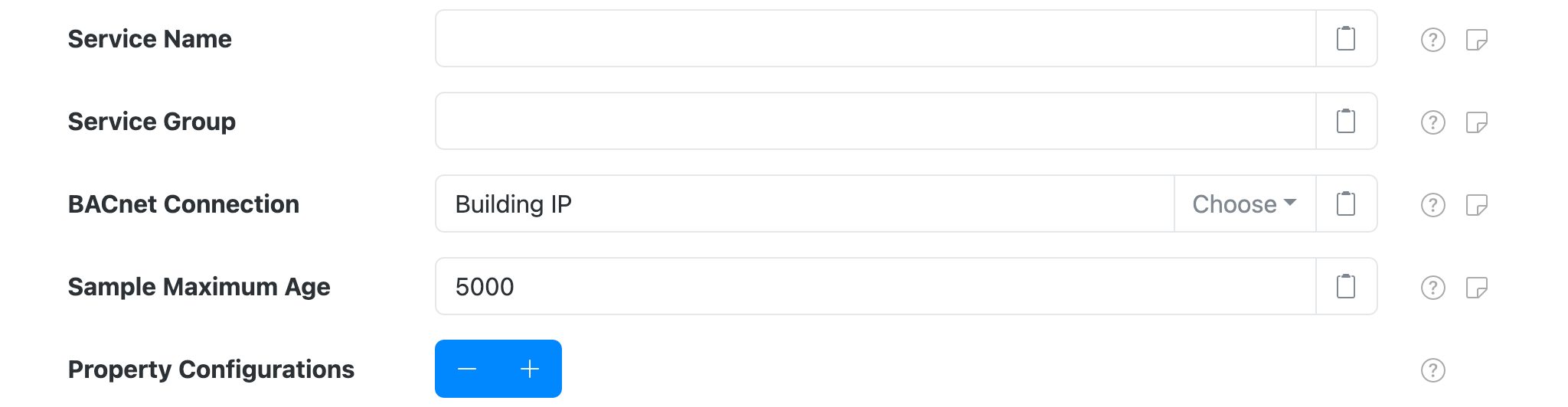
Each component configuration contains the following settings:
| Setting | Description |
|---|---|
| Service Name | An optional unique name to identify this component with. |
| Service Group | An optional group name to associate this component with. |
| BACnet Connection | The Service Name of the BACnet Connection to use. |
| Sample Maximum Age | A maximum time to cache captured BACnet data, in milliseconds. SolarNode will cache the data collected from the BACnet device for at most this amount of time before refreshing data from the device again. Some devices do not refresh their values more than a fixed interval, so this setting can be used to avoid reading data unnecessarily. This setting also helps in highly dynamic configurations where other plugins request the current values from this component frequently. |
| Property Configurations | A list of BACnet object property-specific settings. Any number of property configurations can be added, to update any number of BACnet device object properties. |
Property settings
You must configure settings for each BACnet object property you want to expose as an updatable control. You can configure as many property settings as you like, using the + and - buttons to add/remove configurations.
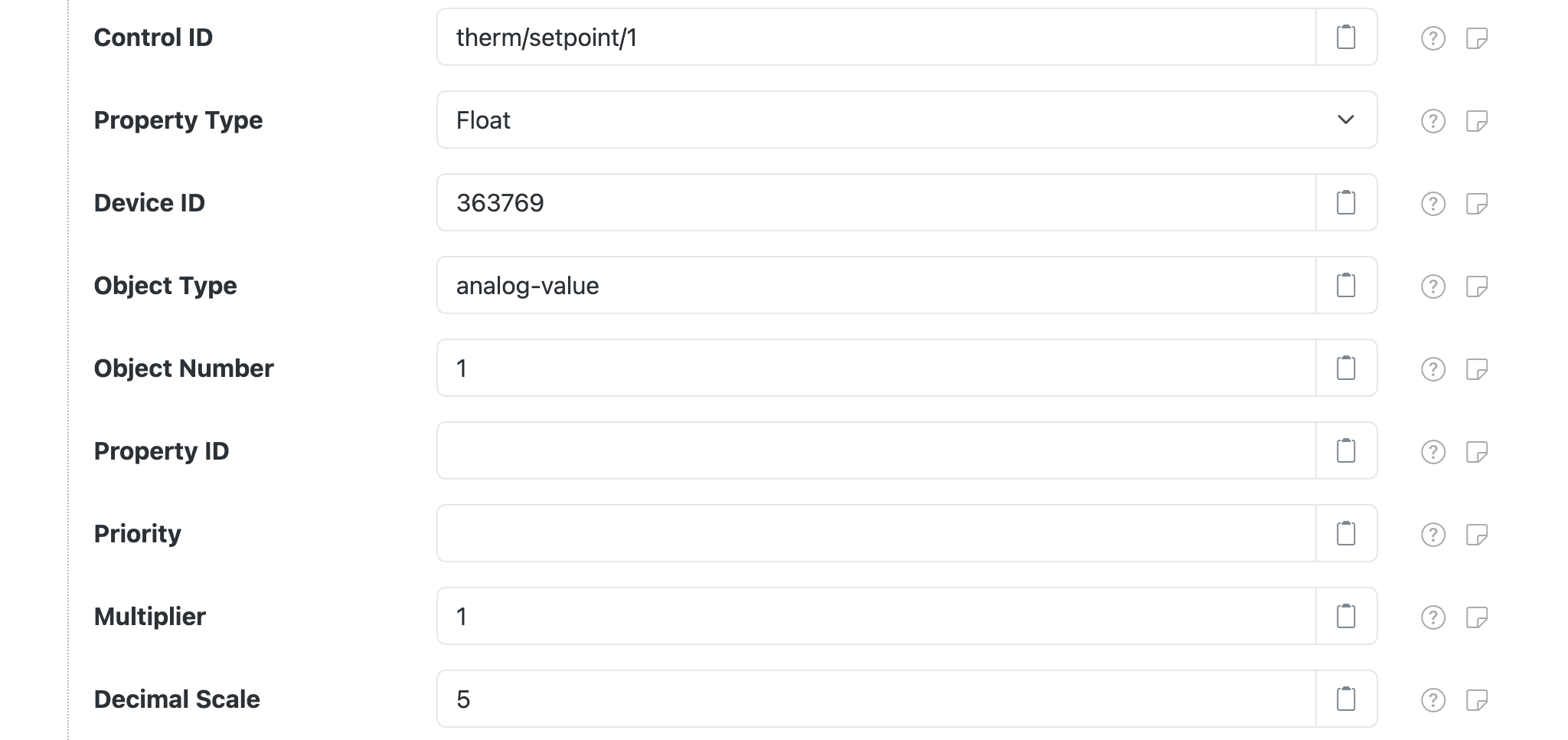
Each property configuration contains the following settings:
| Setting | Default | Description |
|---|---|---|
| Control ID | A unique name to associate this control configuration with. This should be unique amongst all control IDs deployed on the SolarNode. By convention, control IDs are grouped into a hierarchy via slash characters, for example therm/setpoint/1. This ID will also be used as the datum source ID if the control value is posted to SolarNetwork. |
|
| Property Type | Boolean |
The SolarNode control property type. Must be one of Boolean (on/off), Float (decimal number), Integer (whole number), Percent (decimal number between 0 and 1), or String (text). |
| Object Type | The BACnet object type to update. Can be specified as a name, like analog-value or AnalogValue, or the associated integer code, like 2. |
|
| Object Number | The BACnet object type instance number to update. | |
| Property ID | present-value |
The BACnet object property identifier to update. Can be specified as a name, like present-value or PresentValue, or the associated integer code, like 85. |
| Priority | priority |
The BACnet write operation priority. Can be any value between 1 and 16, with 1 being the highest priority. If not specified 16 will be assumed. |
| Multiplier | 1 |
For numeric data types, a multiplier to apply to the BACnet property value to normalize it into a standard unit. The property values stored in SolarNetwork should be normalized into standard base units if possible. For example if a power meter reports power in kilowattts then a unit multiplier of 1000 can be used to convert the values into watts. When writing values to BACnet devices, the value will be divided by this amount first. |
| Decimal Scale | 5 |
For numeric data types, a maximum number of decimal places to round decimal numbers to, or -1 to not do any rounding. Setting to 0 rounds decimals to whole numbers. |
BACnet object and property types
BACnet defines a comprehensive enumeration of possible Object Type and Property ID values. See the Lookup tab on the example CSV configurer sheet for a complete listing.
Control manipulation
Once configured each control can be changed on the node itself or via the SolarNetwork API.
Local SolarNode control
You can set a control value using the SolarNode GUI once the component is configured. Visit the Tools > Controls page to manage the available controls.
SolarNetwork control
The SolarUser Instruction API can be used to change the control from anywhere in the
world, by requesting the SolarNode to perform a SetControlParameter
instruction and passing a single instruction parameter named the Control ID you configured for
the control and the desired value as the parameter value.
For example, to set the therm/setpoint/1 control to 29.0 an HTTP POST like this would update
the value:
POST /solaruser/api/v1/sec/instr/add/SetControlParameter

{"nodeId":123,"params":{"therm/setpoint/1":"29.0"}}