Fixed Data
SolarNode can generate datum from static configuration or time-of-use (TOU) schedules with the Fixed Data component. This can be used to provide a stream of datum to trigger filters, to simulate a physical device for testing, or generate a stream of data from a TOU schedule.
This datum source is provided by the Fixed Datum Source plugin, which is included in the solarnode-app-fixed package in SolarNodeOS. You can install this package on the System > Packages page in SolarNode.
Use
Once installed, a Fixed Data component will appear on the Settings > Components page on your SolarNode. Click on the Manage button to configure components. You will need to add one configuration for each datum stream you want to generate.

Settings
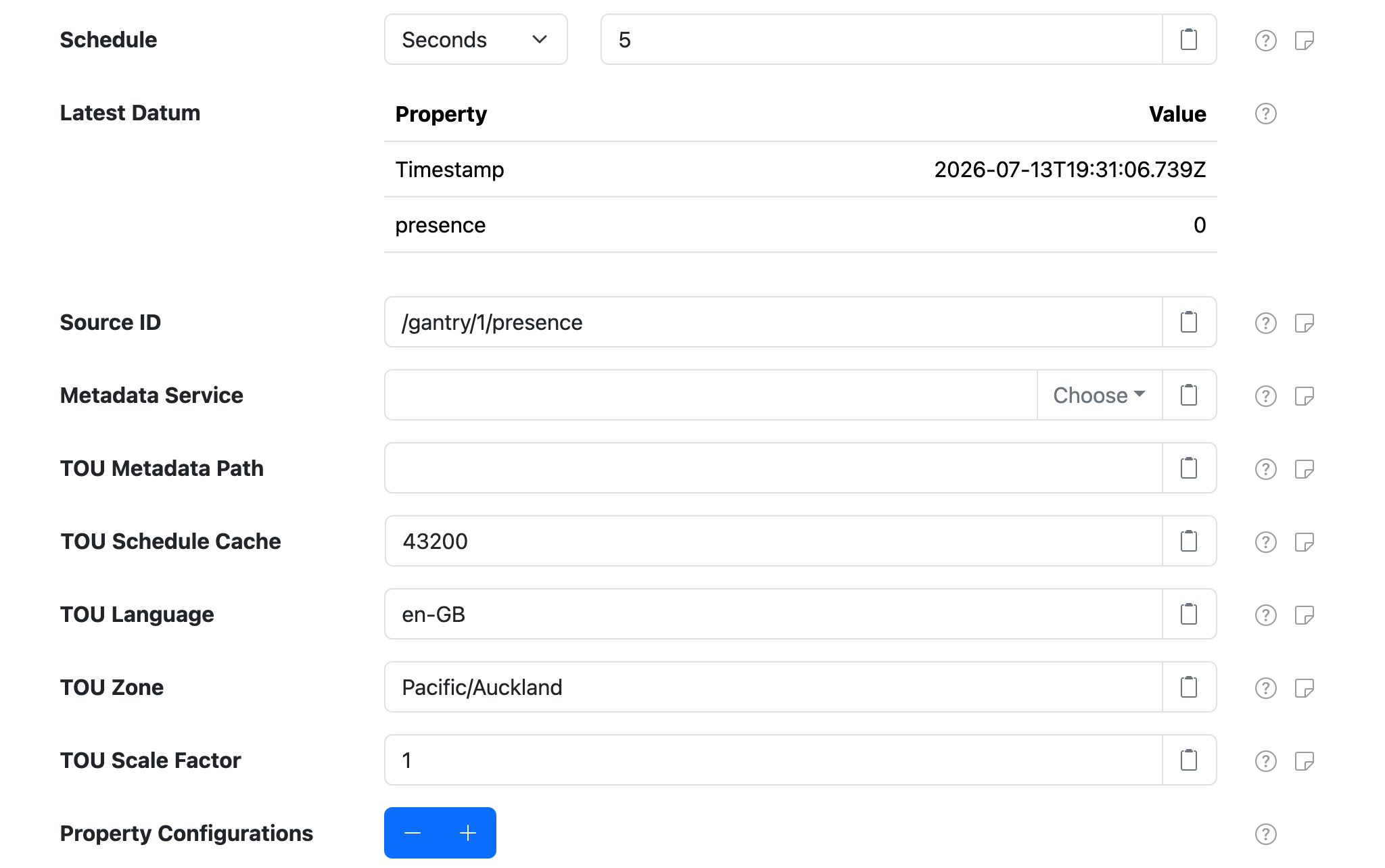
Each component supports the following overall settings:
| Setting | Description |
|---|---|
| Schedule | A cron schedule that determines when data is collected, or millisecond frequency. |
| Source ID | The SolarNetwork unique source ID to assign to datum collected from this component. |
| Metadata Service | The Service Name of the Metadata Service to obtain the tariff schedule from. See Time Of Use for more information. |
| TOU Metadata Path | The metadata path that will resolve the tariff schedule from the configured Metadata Service. |
| TOU Schedule Cache | The amount of seconds to cache the tariff schedule obtained from the configured Metadata Service. |
| TOU Language | An IETF BCP 47 language tag to parse the tariff data with. If not configured then the default system language will be assumed. |
| TOU Zone | The identifier of the time zone used by the TOU schedule, for example Pacific/Auckland. Defaults to the system time zone. |
| TOU Scale Factor | A multiplication factor to apply to the resolved TOU schedule rates. |
| Property Configurations | Any number of static datum property configurations to include in the generated datum. |
Property settings
Any number of property configurations can be added to generate arbitrary datum property values.

Each Property Configuration contains the following settings:
| Setting | Description |
|---|---|
| Property | The datum property name to populate. |
| Property Type | The datum property type to use. |
| Property Value. | The datum property value to use. For Instantaneous and Accumulating Property Type configurations the value must be a number. |
Time Of Use properties
This component can generate datum properties from a time-of-use (TOU) tariff schedule defined in metadata. You must configure the Metadata Service and TOU Metadata Path settings to enable this feature. Once configured, the component will resolve tariff rates each time it generates datum and populate all resolved rates as instantaneous datum properties, named after the rate names.
For example, imagine a tariff schedule like the following encoded in node metadata
{
  "pm": {
    "tariffs": {
      "schedule": [
        ["Month","Day","Weekday","Time","pricePerKwh","dailyFixed"],
        ["Jan-Dec",,"Mon-Fri","0-8","10.48","1.50"],
        ["Jan-Dec",,"Mon-Fri","8-24","11.00","1.50"],
        ["Jan-Dec",,"Sat-Sun","0-8","9.19","0.95"],
        ["Jan-Dec",,"Sat-Sun","8-24","11.21","0.95"]
      ]
    }
  }
}
Configuring the Metadata Service setting as Node Metadata Service and TOU Metadata Path as
/pm/tariffs/schedule would result in pricePerKwh and dailyFixed instantaneous properties being
added to the datum stream.